
Google Drive vs. DAM: Why Folders Are Killing Productivity in 2026
In 2026, the debate isn’t whether Google Drive works – it does. The real question is whether it still works for your specific level of marketing complexity. Most teams begin with Google Drive or SharePoint because they are accessible, already integrated, and easy to use. You create folders, manage permissions, and share links. For a growing company with limited asset volume, that’s more than enough.
However, growth changes the equation. Campaigns multiply, regions request localized versions, and agencies upload constant edits. Paid media formats expand, and new channels appear. This is when the number of “final” files quietly doubles, making the comparison between Google Drive vs. DAM less theoretical and more operational.
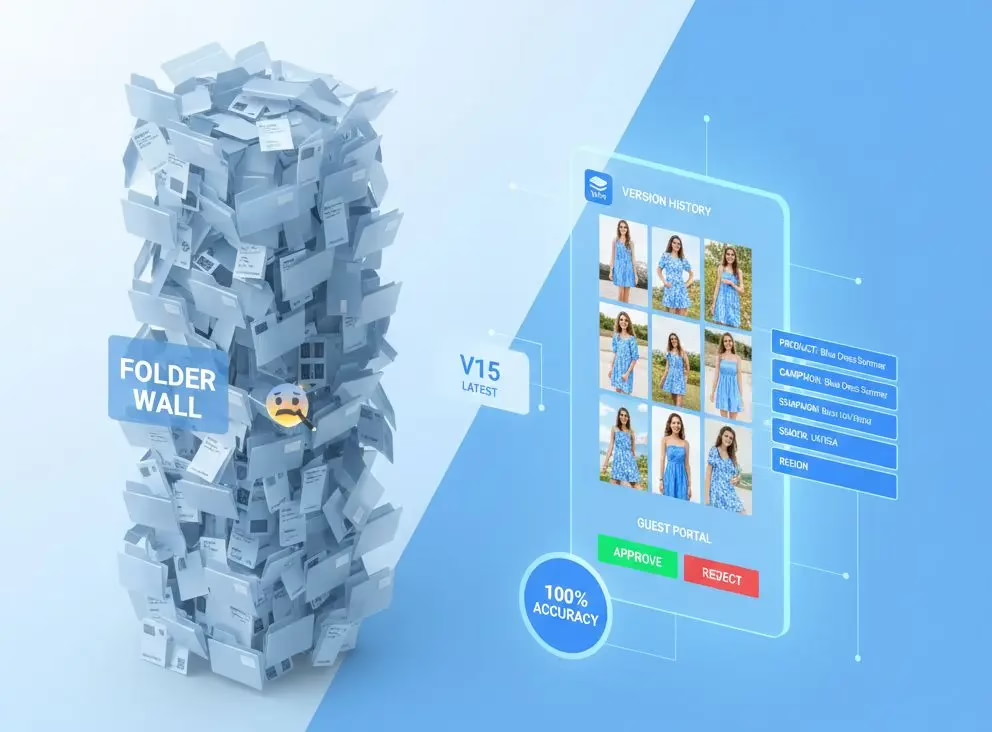
What Google Drive and SharePoint Actually Do Well
Shared drives are undeniably strong collaboration tools. For internal documentation and simple asset sharing, they remain efficient and cost-effective.
These platforms provide essential features such as:
- Cloud storage and folder-based organization.
- File-level permissions and version history.
- Document collaboration for text-based files.
The fundamental issue is that they treat all files equally. Whether it is a product brochure, a legal contract, a campaign master visual, or a licensed brand photograph, from a system perspective, they are just files in folders. Marketing operations, however, don’t operate on folders; they operate on asset lifecycles.
What a DAM System Adds in 2026
A Digital Asset Management (DAM) system isn’t just “Google Drive with more features”. It is built specifically for marketing asset governance. A modern DAM platform typically transforms asset management from mere storage into true infrastructure by combining the following:
- Structured Metadata: Organize assets by campaign, region, product, photographer, and usage rights.
- Asset Lifecycle States: Track files as they move from Draft to Approved, Published, and finally Archived.
- Automated Processing: Includes automated resizing, cropping, and format generation for web, social, marketplace, and print.
- Advanced Content Tools: Features like background removal, image processing, and version stacking with clear active/approved control.
- Creative Collaboration: Commenting and review flows similar to Figma, alongside role-based access for specific teams or agencies.
- Governance & Distribution: License expiration alerts, dynamic collections that update automatically, and controlled partner portals.
Shared Drive vs. DAM: Feature-Level Reality
The following table highlights the technical and functional differences that define the transition from managing files to managing systems.
| Capability | Google Drive / SharePoint | Modern DAM (2026) |
| Organization | Folder-based (one file lives in one place) | Metadata-based (one asset in multiple categories) |
| Search | Filename and folder search | Multi-attribute search (SKU, usage rights, etc.) |
| Versioning | File version history | Version stacking + lifecycle states |
| Active Control | Latest upload wins | Approved version controlled separately |
| Format Variations | Manual resizing & exports | Automated resizing and format generation |
| Asset Intake | Upload via email or manual | Structured intake portal with approval flow |
| Sharing | Static folder links | Dynamic, filter-based collections |
| Permissions | Folder-based | Role-based (by region, stage, or agency) |
| Compliance | Manual tracking | Metadata-driven expiration alerts |
| Duplicates | Manual detection | AI-assisted duplicate detection |
If you’re evaluating Google Drive vs DAM in 2026, the difference becomes obvious: Google Drive manages files; DAM manages systems.
The Structural Breakpoint: When Coordination Becomes Expensive
The decision to migrate from SharePoint to a DAM rarely happens because storage space fails; it happens because coordination becomes too expensive. You have reached the “structural breakpoint” when:
- Teams are repeatedly resizing the same asset.
- Agencies are uploading slightly modified duplicates.
- Regions unknowingly use outdated versions.
- Licensed images remain accessible past their expiration date.
- Campaign rollouts slow down due to file confusion.
At this stage, the system hasn’t collapsed, but the operational friction has become measurable and costly.
Who Reaches This Threshold?
The need for a DAM is driven by complexity, not industry. We see the same operational patterns across various sectors:
- Hospitality & Tourism: Managing multiple properties and global campaigns.
- SaaS & Tech: Localizing product visuals for global markets.
- Publishing & E-commerce: Managing licensed photography and connecting assets directly to product data.
- Consumer Brands: Operating across diverse markets with strict brand consistency.
Is Google Drive Enough in 2026?
For small teams operating in one region with limited asset variation, yes – Google Drive or SharePoint can remain sufficient. However, once asset volume, localization, and licensing expand, shared drives begin to show their structural limits.
The choice isn’t just about replacing storage; it’s about deciding when your marketing operations require governance instead of simple coordination.
Conclusion: From Storage to Infrastructure
Shared drives are collaboration platforms; DAM systems are marketing infrastructure. In 2026, marketing speed and consistency are not operational luxuries – they are competitive advantages. By the time teams begin actively comparing these two, they are usually already feeling the cost of friction.
Ready to stop digging through folders and start scaling?
Modern marketing teams use Intrical to turn their content graveyard into a high-performance asset library.